
Its returns the common logarithm (base 10) of a positive real number.
Syntax
LOG10(number)
Argument
| Parameter | Requirement | Valid Input |
| number | Required | Positive real number (> 0) |
Key Properties
- Mathematical Definition:

-
- Special Values:
- LOG10(1) = 0
- LOG10(10) = 1
- LOG10(100) = 2
- Special Values:
- Error Handling:
- #NUM! → number ≤ 0
- #VALUE! → Non-numeric inputs
- Inverse Relationship:
- =10^LOG10(x) returns x
- =LOG10(10^x) returns x
Examples
- Basic Calculations:
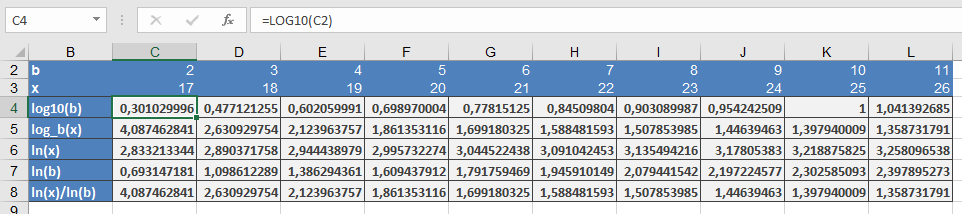
=LOG10(2) → Returns 0.301029996
=LOG10(6) → Returns 0.77815125
=LOG10(9) → Returns 0.954242509
=LOG10(10) → Returns 1
- Scientific Applications:
- Decibels (Sound): =10*LOG10(Power_ratio)
- pH Scale: =-LOG10(H+_concentration)
- Richter Scale (Earthquakes): Logarithmic magnitude
Comparison with Other Logs
| Function | Base | Example |
| LOG10() | 10 | =LOG10(1000) = 3 |
| LN() | *e* | =LN(10) ≈ 2.302585 |
| LOG() | Custom | =LOG(8, 2) = 3 |