
Its computes the principal value of the natural logarithm of a complex number, returning the result in rectangular form (x + yi). This is the complex analog of the standard LN() function.
Syntax
IMLN(complex_number)
Argument
- complex_number (required)
A complex number in either:- « x+yi » format (mathematical convention)
- « x+yj » format (engineering convention)
Technical Background
For a complex number z = x + yi:
IMLN(z) = ln|z| + i·arg(z)
Where:
- |z| = √(x² + y²) (magnitude)
- arg(z) = atan2(y,x) (phase angle in [-π, π])
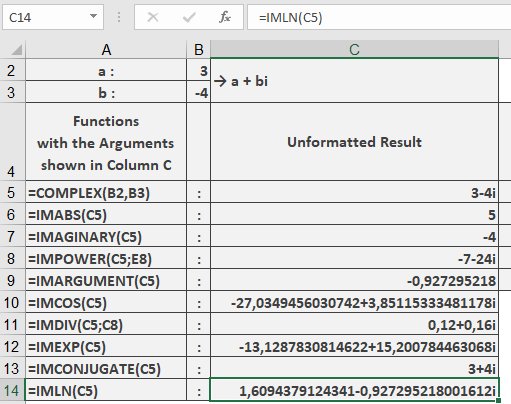
Example
=IMLN(« 3-4i ») // Returns « 1.60943791-0.927295218i »
Additional Examples
=IMLN(« 1+i ») // Returns « 0.34657359+0.785398163i »
=IMLN(« -1 ») // Returns « 0+3.141592654i » (ln(-1) = iπ)
=IMLN(« 0+1i ») // Returns « 0+1.570796327i » (ln(i) = iπ/2)
=IMLN(« 2.718281828459 ») // Returns « 1 » (ln(e) = 1)
Key Features
- Returns the principal value (-π < Im ≤ π)
- Maintains 9 decimal place precision
- Handles all valid complex number formats
- Preserves input’s imaginary unit convention
Error Conditions
- Returns #NUM! for:
- Invalid complex number format
- Non-numeric components
- Zero magnitude (0+0i)