
Its extracts the real component (x) from a complex number in rectangular form (x + yi or x + yj).
Syntax
IMREAL(complex_number)
Argument
- complex_number (required)
A text string representing a complex number in either:- « x+yi » format (mathematical convention)
- « x+yj » format (engineering convention)
Technical Background
For a complex number z = x + yi:
- The real part represents the horizontal component in the complex plane
- When plotted, corresponds to the projection on the real (x) axis
Example
=IMREAL(« 3-4i ») // Returns 3
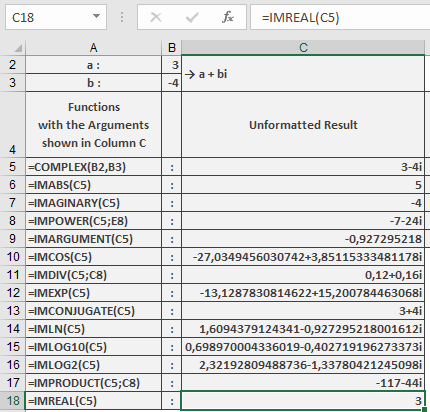
Additional Examples
=IMREAL(« 5+12j ») // Returns 5
=IMREAL(« -1.5+2i ») // Returns -1.5
=IMREAL(« 0-3i ») // Returns 0
=IMREAL(« 7 ») // Returns 7 (real numbers are valid input)
Key Features
- Returns a real number value
- Handles both « i » and « j » notation
- Preserves decimal precision from input
- Works with pure real or pure imaginary numbers
Error Conditions
- Returns #NUM! for:
- Invalid complex number format
- Non-numeric components
- Missing real part when ‘+’ or ‘-‘ present