
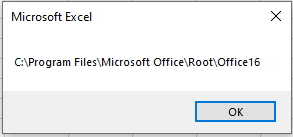
The following procedure displays the folder path where Microsoft Excel is installed on your computer:
Sub ShowApplicationPath()
    MsgBox Application.Path
End Sub
Explanation:
This procedure retrieves the value of the Path property of the Application object and displays it in a message box. The Application.Path property returns the directory on the PC where the Excel application itself is installed.
An example output for a standard installation might look like the one shown in Figure 6.9.