
The VBA function Timer() returns the number of seconds elapsed since midnight. You can use this function to pause or delay the execution of your program, as shown in the following example:
Sub TimeDelay()
    Dim startTime As Single
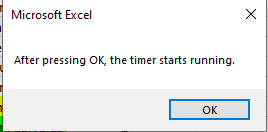
    MsgBox "After pressing OK, the timer starts running."
    startTime = Timer
    Do
        DoEvents
    Loop Until Timer > startTime + 5
    MsgBox "Five seconds have passed."
End Sub
Explanation:
The Timer() function returns the seconds elapsed since midnight as a Single value. This value is stored in the variable startTime.
After the user confirms the first message box, the program enters a Do…Loop that continues until the current time (from Timer()) is greater than startTime + 5, i.e., 5 seconds later.
Inside the loop, DoEvents() is called. This function allows other system events to be processed while the loop runs, such as user interactions or background processes. You can use DoEvents() to keep your application responsive during delays or long calculations.