
As previously explained in Copying and Moving a Worksheet, to rearrange the order of worksheets, simply drag the worksheet tab to the desired position while holding down the mouse button.A small white sheet icon indicates where the worksheet will be placed.
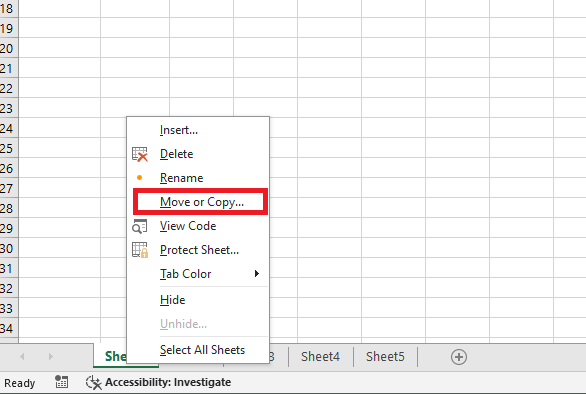
The second option is to right-click on the worksheet tab and choose Move or Copy.
Then, select the desired destination and click the OK button to confirm.
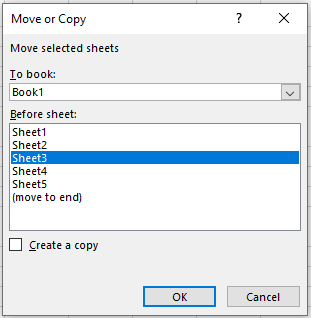
This second option also allows you to move the worksheet to another workbook (note that in this case, you should be careful about maintaining the integrity of cell references between workbooks…).