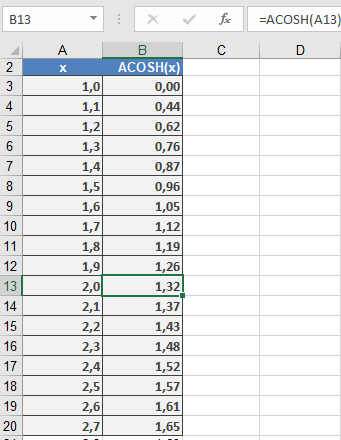
This function returns the inverse hyperbolic cosine of a number (see Figure below). The definition range spans x = +1 to +∞.
Syntax
ACOSH(number)
Argument
- number(required) – A real number equal to or greater than 1.
Background
The inverse hyperbolic functions are also called the area hyperbolic functions. They are the inverse functions of the hyperbolic functions. The hyperbolic functions sinh, tanh, and coth are strictly monotonic and have one inverse function. The cosh function, however, has two monotonic intervals symmetrical to the positive segment of the ordinate and two inverse functions:
- y = arcosh x
- y = -arcosh x
where:

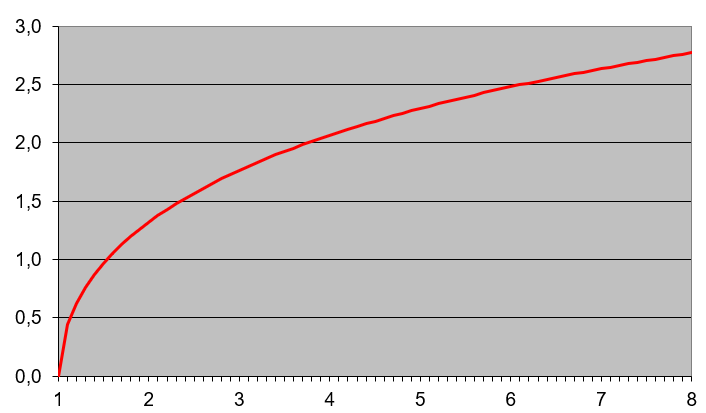
The graph (see Figure below) starts at point 1.0 and is monotone increasing or decreasing.
Example
Two parallel wires with the diameter d, length l, and distance a have the capacitance C.
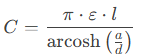
ε = ε₀ εᵣ is the permittivity of the medium. More examples of this function are:
- =ACOSH(1)returns 0.
- =ACOSH(2)returns 1,32.