
Its returns the arctangent angle (in radians) between the x-axis and a line from the origin (0,0) to the specified (x,y) coordinates. Unlike ATAN(), this function determines the correct quadrant for the angle.
Syntax
ATAN2(x_num ; y_num)
Arguments
| Argument | Required | Description |
| x_num | Yes | The x-coordinate of the point |
| y_num | Yes | The y-coordinate of the point |
Key Features:
- Output Range: -π to π radians (-180° to 180°)
- Conversion to Degrees:
DEGREES(ATAN2(x_num ;y_num))
- Special Cases:
- Returns #DIV/0! if both arguments are 0
- Handles x=0 cases (unlike ATAN(y/x))
Behavior by Quadrant:
| Quadrant | x_num | y_num | Result Range |
| I | + | + | 0 to π/2 (0° to 90°) |
| II | – | + | π/2 to π (90° to 180°) |
| III | – | – | -π to -π/2 (-180° to -90°) |
| IV | + | – | -π/2 to 0 (-90° to 0°) |
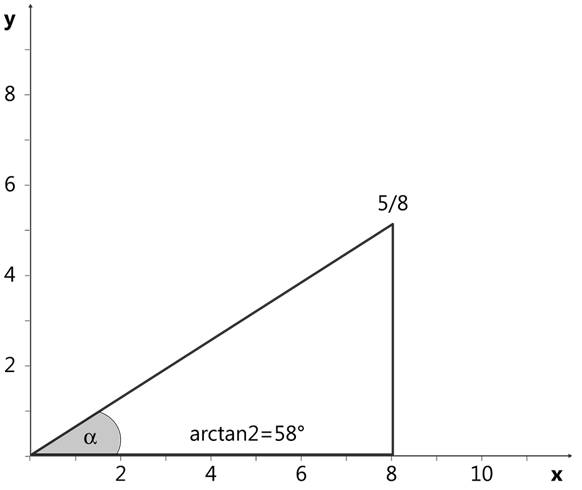
Example:

Comparison with ATAN():
| Feature | ATAN2() | ATAN() |
| Inputs | Separate x,y coordinates | Single ratio (y/x) |
| Range | -π to π (-180° to 180°) | -π/2 to π/2 (-90° to 90°) |
| Handles x=0 | Yes | No |
| Quadrant Awareness | Yes | No |
Note: For accurate angle calculations in all four quadrants, ATAN2() is preferred over ATAN() as it automatically adjusts for the correct quadrant based on the signs of both coordinates.