
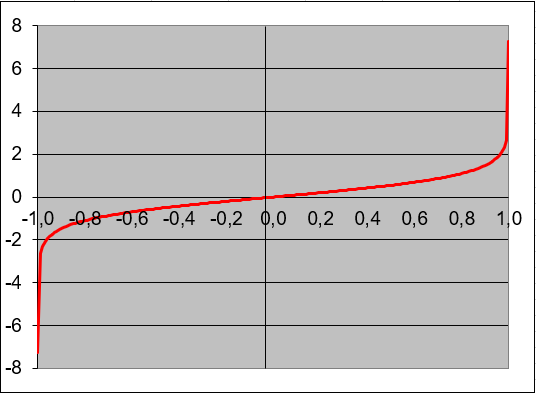
This function returns the inverse hyperbolic tangent of a number. The number must be between -1 and 1 (non-inclusive).
Syntax
ATANH(number)
Argument
- number(required) – Any real number strictly between -1 and 1 (-1 < number < 1)
Background
The ATANH() function is the inverse of the hyperbolic tangent (TANH) function. The mathematical formula is:
ATANH(x) = 0.5 * ln((1 + x)/(1 – x))
Key Properties:
- Domain: -1 < x < 1
- Range: All real numbers (-∞ to +∞)
- Special Values:
- ATANH(0) = 0
- Approaches ±∞ as x approaches ±1
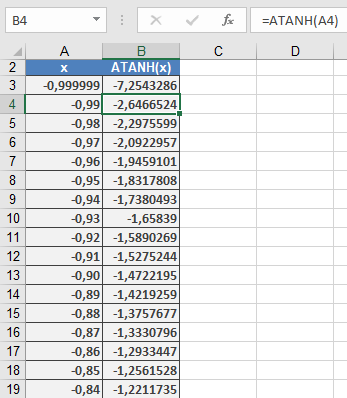
Examples:
Applications:
- Statistics (Fisher transformation)
- Physics (relativity calculations)
- Engineering (signal processing)
- Financial mathematics