
The CHOOSE function selects and returns a value from a list based on a specified index number.
The syntax for the CHOOSE function is as follows:
=CHOOSE(index_num; value1; [value2]; …)
Arguments:
- index_num (Required):
- An integer between 1 and 254 that indicates which value to return.
- Can be a number, formula, or cell reference.
- value1, value2, … (value1 required, others optional):
- A list of up to 254 values from which CHOOSE selects.
- Values can be numbers, text, formulas, cell references, or defined names.
USING THE CHOOSE FUNCTION
Consider the following list of names in cells A2:A5:
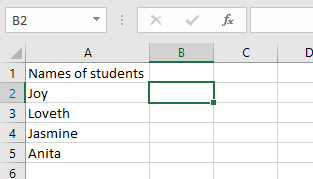
Example: Return the 3rd Value (Jasmine)
- Select an empty cell and enter:
=CHOOSE(3; A2; A3; A4; A5)
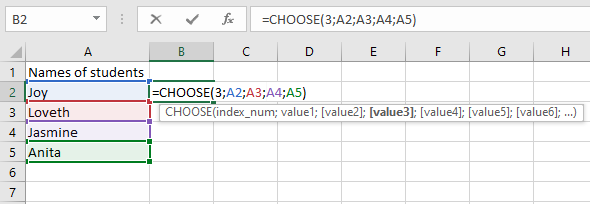
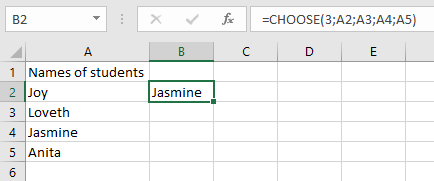
- Press Enter—the function returns Jasmine (the 3rd value).
NOTES & ERROR HANDLING
- Text values must be in quotes, or Excel returns #NAME?.
- #VALUE! Error occurs when:
- index_num is <1 or >number of values provided.
- index_num is non-numeric (e.g., text).