
This function returns the cosine of the specified angle.
Syntax
COS(number)
Argument
- number (required) – The angle in radians for which you want to calculate the cosine
Background
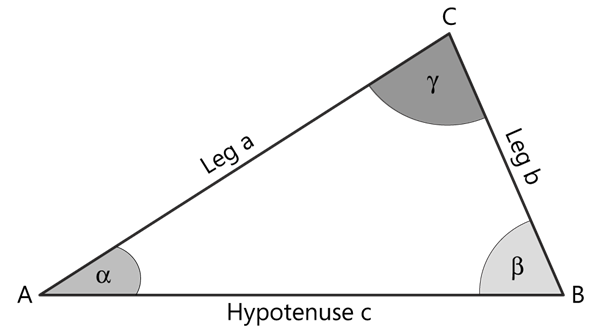
The cosine of an angle in a right triangle represents the ratio of the length of the adjacent side to the hypotenuse (see Figure below):
cos(α) = adjacent side / hypotenuse
Key Properties:
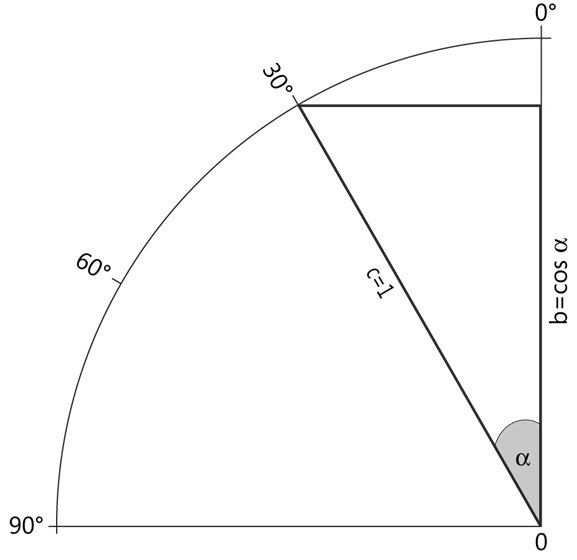
- For a unit circle (radius = 1), as angle α increases from 0° to 90°:
- cos(α) decreases from 1 to 0 (see Figure below)
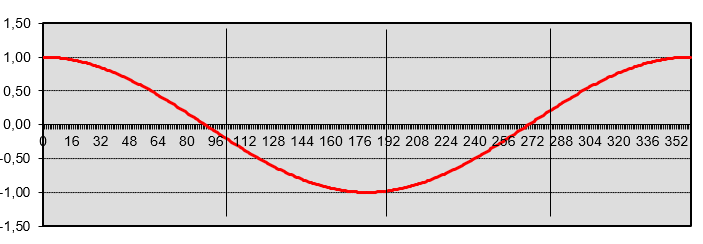
- The cosine function produces a wave-like curve when plotted on a coordinate system (see Figure below)
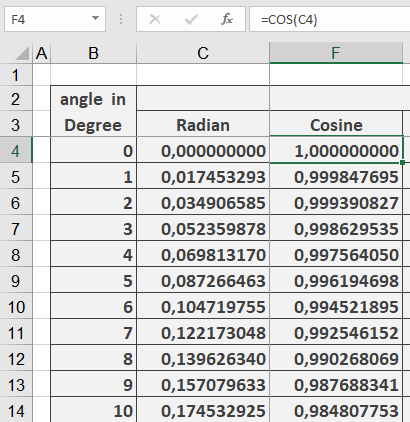
- The function expects the input angle in radians
- To convert degrees to radians, use the RADIANS() function
Example Application
Additional Notes:
- The cosine function is periodic with a period of 2π radians (360°)
- cos(0) = 1
- cos(π/2) = 0 (90°)
- cos(π) = -1 (180°)
- cos(3π/2) = 0 (270°)
- cos(2π) = 1 (360°)
Common Applications:
- Engineering calculations
- Physics problems involving waves and oscillations
- Computer graphics and game development
- Navigation systems