
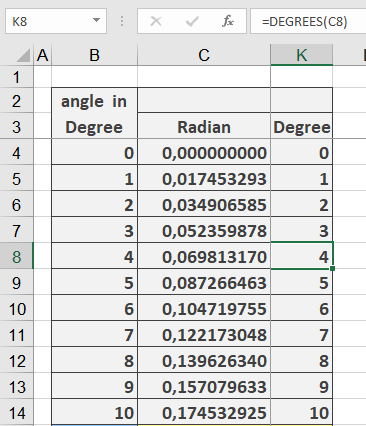
Its converts an angle from radians to degrees.
Syntax
DEGREES(angle)
Argument
- angle (required) – The angle in radians to be converted
Background
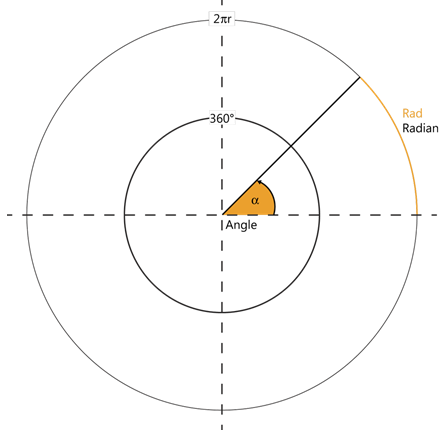
Angular measurements use two primary units:
- Degrees (°):
- Full circle = 360°
- 1° = 60 arcminutes (‘)
- 1′ = 60 arcseconds (« )
- Radians:
- Full circle = 2π radians
- π radians = 180°
- 1 radian ≈ 57.2958°
Key Features:
- Essential for interpreting results from Excel’s trigonometric functions (ACOS, ASIN, ATAN, etc.)
- Conversion formula:
degrees=radians×180π
- Inverse function: RADIANS() converts degrees to radians
Examples:
Applications:
- Converting mathematical/engineering calculations to more intuitive degree measurements
- Preparing data for visual presentations/graphs
- Geographic coordinate transformations
- CAD/CAM software inputs