
Its converts a hexadecimal (base-16) number to its binary (base-2) equivalent using two’s complement notation.
Syntax
HEX2BIN(number; [places])
Arguments
- number (required)
- Hexadecimal string to convert (10-character max)
- Valid range: « FFFFFFFE00 » (-512) to « 1FF » (+511)
- Negative values return 10-digit binary
- Can be entered with or without quotes
- places (optional)
- Minimum number of binary digits to display
- Adds leading zeros for positive numbers
- Ignored for negative numbers (always 10 digits)
- Decimal places are truncated
Technical Background
Uses two’s complement representation for negative values. Hexadecimal letters (A-F) are case-insensitive.
Examples
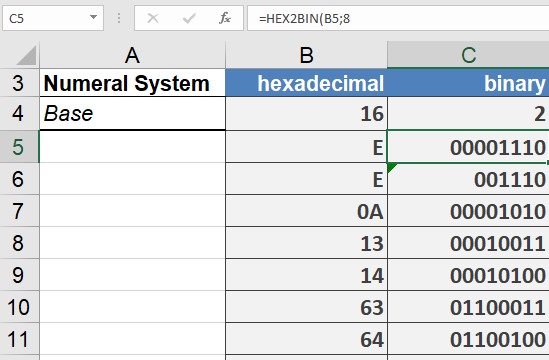
=HEX2BIN(« E ») // Returns « 1110 »
=HEX2BIN(« E »,6) // Returns « 001110 » (padded to 6 digits)
Common Applications
- Low-level hardware programming
- Network protocol analysis
- Binary file manipulation
- Embedded systems debugging
Error Conditions
- Returns #NUM! when:
- Number < « FFFFFFFE00 » (-512)
- Number > « 1FF » (511)
- Places < required digits for positive numbers
- Returns #VALUE! for:
- Non-hex characters
- Empty strings
- More than 10 characters