
Its converts a hexadecimal (base-16) number to its decimal (base-10) equivalent using two’s complement notation.
Syntax
HEX2DEC(number)
Argument
- number (required)
- Hexadecimal string to convert (10-character max)
- Valid range: « 8000000000 » to « 7FFFFFFFFF »
(-549,755,813,888 to +549,755,813,887 decimal) - Case-insensitive (A-F or a-f accepted)
- Can be entered with or without quotes
Key Features
- Handles both positive and negative numbers via two’s complement
- No places parameter (use cell formatting for leading zeros)
- Automatic sign detection based on most significant hex digit
- Truncates any fractional values
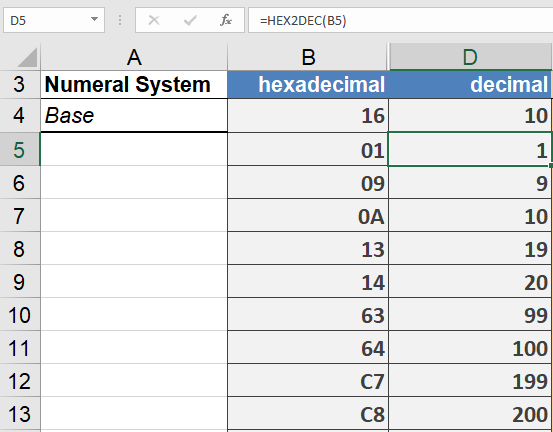
Examples
Technical Specifications
- Input Range:
Negative: « 8000000000 » to « FFFFFFFFF »
Positive: « 0 » to « 7FFFFFFFFF » - Output Range:
-549,755,813,888 to +549,755,813,887 - Processing:
- Leading/trailing spaces are ignored
- Letters A-F are case-insensitive
- Empty strings return 0
Common Applications
- Memory address conversion
- Color value calculations
- Cryptographic operations
- Legacy system integration
Error Conditions
- Returns #NUM! when:
- Input exceeds 10 characters
- Value outside valid range
- Returns #VALUE! for:
- Non-hex characters (G-Z, symbols)
- Invalid number format