
Its extracts the imaginary coefficient (y) from a complex number in the form x + yi or x + yj.
Syntax
IMAGINARY(complex_number)
Argument
- complex_number (required)
A text string representing a complex number in either:- « x+yi » format (mathematical convention)
- « x+yj » format (engineering convention)
- Examples: « 3-4i », « 5+2j », « -1+7i »
Technical Background
For a complex number z = a + bi:
- a is the real part (extracted with IMREAL())
- b is the imaginary part (extracted with IMAGINARY())
- i (or j) is the imaginary unit (√-1)
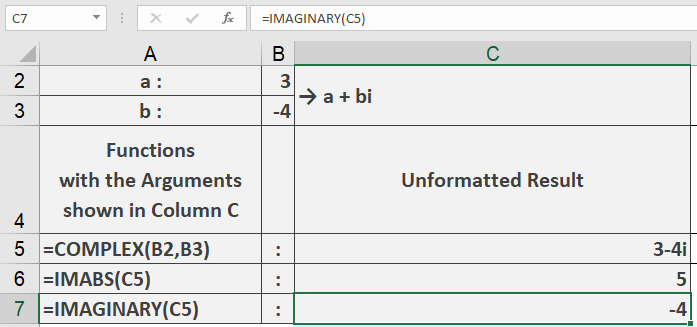
Example
=IMAGINARY(« 3-4i ») // Returns -4
Key Features
- Supports both « i » and « j » notation
- Returns a real number value
- Handles positive/negative coefficients
- Returns 0 for pure real numbers
Error Conditions
- Returns #NUM! for:
- Invalid complex number format
- Missing imaginary unit when imaginary part exists
- Non-numeric components
Usage Notes
- Input must be text string in proper complex format
- The sign of the imaginary part is preserved
- For engineering applications, use « j » notation
- Combine with IMREAL() to separate complex components