
Its calculates the quotient of two complex numbers in rectangular form (x + yi or x + yj).
Syntax
IMDIV(complex_number1; complex_number2)
Arguments
- complex_number1 (required)
The complex numerator (dividend) in « x+yi » or « x+yj » format - complex_number2 (required)
The complex denominator (divisor) in matching format
Technical Background
For complex numbers z₁ = a + bi and z₂ = c + di:
- Division is performed by rationalizing the denominator:
z₁/z₂ = [(ac + bd) + i(bc – ad)] / (c² + d²)
- Equivalent to multiplying numerator by complex conjugate of denominator
Example
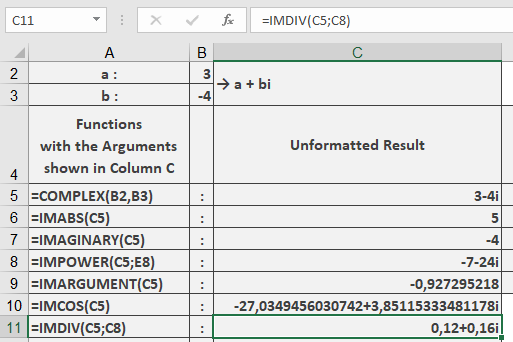
=IMDIV(« 3-4i », »-7-24i ») // Returns « 0.12+0.16i »
Additional Examples
=IMDIV(« 1+i », »1-i ») // Returns « i »
=IMDIV(« 4″, »2i ») // Returns « -2i »
=IMDIV(« 3+4i », »3+4i ») // Returns « 1 »
=IMDIV(« 10″, »2+3i ») // Returns « 1.538461538-2.307692308i »
Key Features
- Returns result in standard complex form
- Maintains input’s imaginary unit convention
- Handles all valid complex number formats
- Properly handles division by pure real/imaginary numbers