
This function returns the square root of a complex number (x + yi or x + yj).
Syntax
IMSQRT(complex_number)
Argument
- complex_number (required)
The complex number whose square root is to be determined
Background
The square root of a complex number is calculated as follows:
√(x + yi) = √r · [cos(Φ/2) + i·sin(Φ/2)]
Where:
r = √(x² + y²)
and
Φ = atan2(y,x) where Φ ∈ (–π, π]
(a right half-open interval).
The basics of complex numbers are described in the section titled Functions for Complex Numbers.
Example
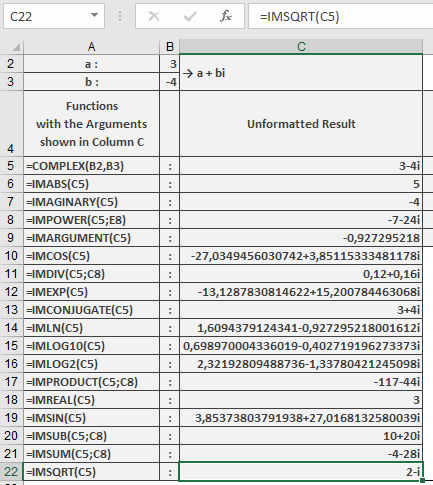
The following example illustrates this function:
=IMSQRT(« 3-4i ») returns 2-i
Key Features
- Returns the principal square root (with non-negative real part)
- Handles both « i » and « j » notation
- Maintains mathematical consistency with real square roots
- Preserves full calculation precision