
Its returns the natural logarithm (base *e*) of a positive real number, where *e* ≈ 2.71828182845904 (Euler’s number).
Syntax
LN(number)
Argument
| Parameter | Requirement | Valid Input |
| number | Required | Positive real number (> 0) |
Key Concepts
- Mathematical Definition:

-
- Inverse of EXP(): LN(EXP(x)) = x and EXP(LN(x)) = x
- Special Values:
- LN(1) = 0
- LN(e) = 1
- Error Handling:
- Returns #NUM! if number ≤ 0
- Returns #VALUE! for non-numeric inputs
- Comparison with Other Logs:
| Function | Base | Example |
| LN() | *e* | =LN(10) ≈ 2.302585 |
| LOG10() | 10 | =LOG10(100) = 2 |
| LOG() | Custom | =LOG(8,2) = 3 |
Examples
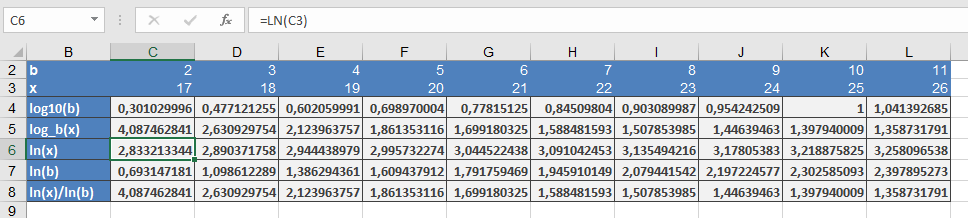
Why This Matters
The natural logarithm is fundamental in:
- Calculus: Derivatives/integrals of exponential functions
- Physics: Describes natural growth/decay (e.g., Newton’s Law of Cooling)
- Economics: Logarithmic returns in finance
Common Errors & Fixes
| Error | Cause | Solution |
| #NUM! | number ≤ 0 | Ensure input is positive |
| #VALUE! | Text input | Verify numeric values |