This function returns a random number between 0 and 1 with up to 16 decimal places.
Syntax:
RAND()
Arguments:
None
Background:
The RAND() function returns a random number greater than or equal to 0 and less than 1.
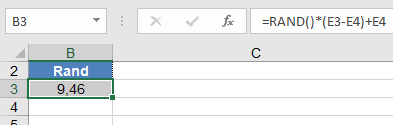
To generate a random real number between a and b, use:
=RAND() • (b – a) + a
A new random number is returned every time the worksheet is calculated.
Example:
The RAND() function is often used to fill a table with test data or to simulate processes in engineering and natural sciences. The formula must be entered in each cell. Some examples of this function are: