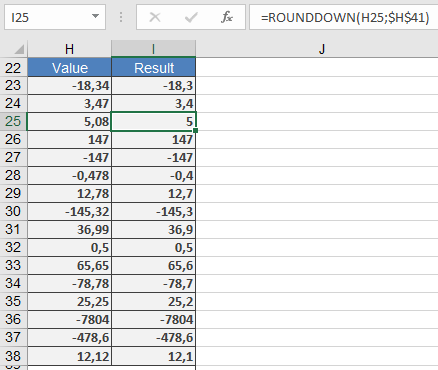
This function rounds a number down (toward zero) to the specified number of digits.
Syntax:
ROUNDDOWN(number; num_digits)
Arguments:
- number(required) – The real number to be rounded down.
- num_digits(required) – The number of decimal places to round down to.
Background:
Unlike ROUND(), which follows standard rounding rules (≥5 rounds up, <5 rounds down), ROUNDDOWN() always truncates the number at the specified digit, regardless of its value.
Behavior based on num_digits:
- num_digits > 0: Rounds down to the specified decimal places.
- num_digits = 0: Rounds down to the nearest integer.
- num_digits < 0: Rounds down to the left of the decimal point (e.g., tens, hundreds).
Key Notes:
- Negative numbers are rounded toward zero(e.g., -2.846 → -2.84).
- The function simply truncates extra digits without rounding.
Examples: