
Returns the number of rows in a specified array or cell range.
Syntax:
ROWS(array)
Arguments:
| Argument | Required? | Description |
| array | Yes | A cell range (e.g., A1:B5) or array constant (e.g., {1;2;3}). |
Key Behavior:
- Cell Ranges:
- =ROWS(A1:A10) → Returns 10.
- Array Constants:
- =ROWS({1;2;3;4;5;6}) → Returns 2 (rows separated by ;).
- Errors:
- #NULL! → If range intersection is empty (e.g., =ROWS(B2:D4 E2:E4)).
- #REF! → If using discontiguous ranges without proper parentheses.
Examples:
- Basic Row Count
- Formula:
=ROWS(B2:D10)
Result: 9 (9 rows in the range).
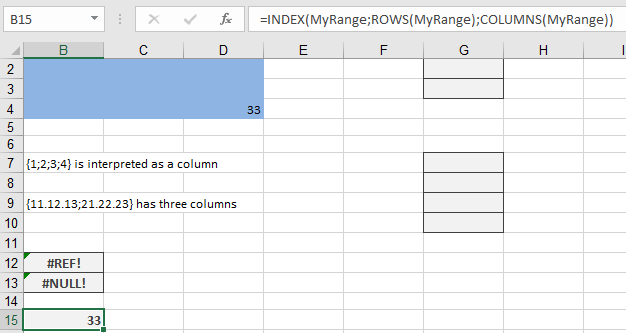
- Dynamic Last Cell in a Named Range
- Formula:
=INDEX(MyRange; ROWS(MyRange); COLUMNS(MyRange))
-
- How It Works:
- ROWS(MyRange) → Total rows in MyRange.
- COLUMNS(MyRange) → Total columns.
- INDEX retrieves the value at the last row/column intersection.
- How It Works: