In VBA, you can perform several common file operations using built-in functions. However, you should exercise great caution, especially when deleting files.
The following example copies a file, then renames it, and finally deletes it. After each step, a list of currently existing files is displayed for verification:
Sub ListFiles(folderPath As String)
    Dim f As String
    Dim output As String
    f = Dir(folderPath & "\*.*")
    Do While f <> ""
        output = output & f & vbCrLf
        f = Dir
    Loop
    MsgBox "Fichiers dans " & folderPath & ":" & vbCrLf & output
End Sub
Sub FileOperations()
    Dim path As String
    path = Environ("USERPROFILE") & "\Desktop\Doc"
    On Error GoTo ErrorHandler
    ' Afficher les fichiers du Bureau
    ListFiles path
    ' Copier le fichier
    FileCopy path & "\Document.txt", path & "\DocumentCopy.txt"
    ListFiles path
    ' Renommer le fichier copié
    Name path & "\DocumentCopy.txt" As path & "\DocumentNew.txt"
    ListFiles path
    ' Supprimer le fichier renommé
    Kill path & "\DocumentNew.txt"
    ListFiles path
    Exit Sub
ErrorHandler:
    MsgBox Err.Description
End Sub
Explanation:
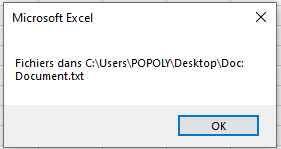
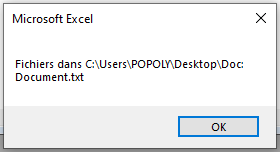
The procedure ListFiles is used to display the list of existing files at each step. Initially, the file list appears as shown in Figure 9.12.
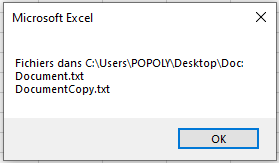
- The FileCopy() function copies a file. If the destination file already exists, it will be overwritten without any prior warning. After copying, the file list changes as illustrated in Figure.
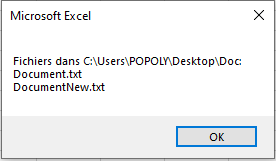
- The Name() function renames or moves a file. If the target file already exists, it will not be overwritten, and a runtime error will occur. If the destination is in a different folder, the file is moved and possibly renamed. The file list after renaming looks like Figure.
- The Kill() function deletes one or more files, optionally using wildcards, without any confirmation. The final file list after deletion is shown in Figure.