
Functions or procedures can call other functions or procedures at any time. This is known as nested calls. After finishing their execution, control returns back to the calling procedure or function, no matter how deep the nesting goes.
When a function or procedure calls itself, this is called recursion. Recursive calls must always include a condition to terminate the recursion; otherwise, it will result in an infinite chain of self-calls causing the program to hang or crash.
Recursion is an elegant way to solve certain problems programmatically.
Example of Basic Recursion
Sub RecursiveStart()
    Dim Output As String
    Dim Nr As Integer
    Nr = 1
    MsgBox Nr
    RecursiveRun Nr
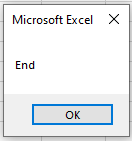
    MsgBox "End"
End Sub

Sub RecursiveRun(Nr As Integer)
    Nr = Nr + 1
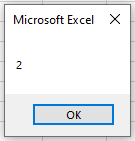
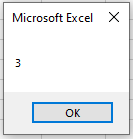
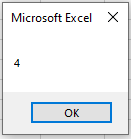
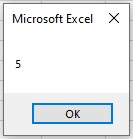
    MsgBox Nr
    If Nr < 5 Then RecursiveRun Nr
End Sub

Explanation:
- In the procedure RecursiveStart(), the variable Nr is initialized with the value 1 and displayed.
- Then, RecursiveRun() is called with the current value of Nr.
- Inside RecursiveRun(), the value of Nr is incremented by 1 and displayed again.
- The procedure then calls itself recursively as long as Nr is less than 5.
- This recursive self-call happens a total of 4 times, incrementing Nr from 2 up to 5.
- When Nr reaches 5, the recursive calls stop, and the procedure begins to exit.
- Control returns back step-by-step through all previous recursive calls until returning to RecursiveStart().
- Finally, RecursiveStart() displays the message « End ».
Without the terminating condition If Nr < 5 Then …, the procedure would call itself indefinitely, causing an infinite loop.