
The following VBA procedure demonstrates two ways to retrieve the name of a workbook:
Sub GetWorkbookName()
    MsgBox "Name: " & ThisWorkbook.Name
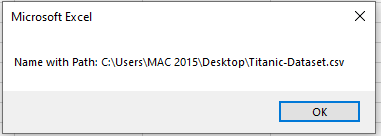
    MsgBox "Name with Path: " & ThisWorkbook.FullName
End Sub
Explanation:
The keyword ThisWorkbook always refers to the workbook in which this code resides, regardless of which workbook is currently active on the screen.
In this procedure:
- ThisWorkbook.Name retrieves and displays the name of the file only, such as Titanic-Dataset.csv. It does not include the file path.

- ThisWorkbook.FullName, on the other hand, retrieves and displays the full file path, including the name of the workbook. For example:
C:\Users\MAC 2015\Desktop\Titanic-Dataset.csv
These properties are useful when you want to display or store workbook information, or when you need to log or reference the file in other operations, such as saving copies or linking to external files.