
The Select Case statement can be used as an alternative to the If-Then-Else block. It simplifies multiple-choice branching when only one value needs to be tested. The syntax is as follows:
Select Case testExpression
    [ Case expressionList1
      statements1 ]
    [ Case expressionList2
      statements2 ]
    ...
    [ Case Else
      statementsX ]
End Select
The Select Case statement evaluates a single test expression at the beginning. Its value is then compared sequentially to the values in each case’s expression list.
- An expression list can consist of multiple expressions separated by commas or a range specified with the keyword To.
- An expression can be a value or a condition using the keyword Is.
- When the first match is found, the corresponding block of statements is executed, and control passes to the statement following the End Select.
- The optional Case Else block runs if no previous matches are found.
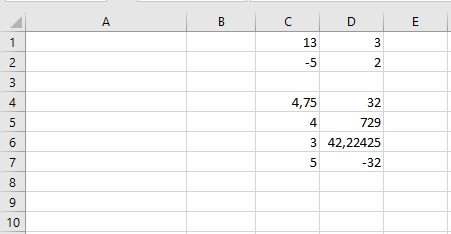
Example Procedure:
Sub SelectCaseExample()
    ThisWorkbook.Worksheets("Sheet1").Activate
    Select Case Range("C1").Value
        Case 20, 30, 40
            Range("C1").Interior.Color = vbRed
        Case Is < 10, Is > 100
            Range("C1").Interior.Color = vbGreen
        Case 12 To 17
            Range("C1").Interior.Color = vbCyan
        Case Else
            Range("C1").Interior.Color = vbYellow
    End Select
End Sub

Explanation:
- Case 20, 30, 40 means: If the value is 20, 30, or 40…
- Case Is < 10, Is > 100 means: If the value is less than 10 or greater than 100…
- Case 12 To 17 means: If the value is between 12 and 17 inclusive… This is the first matching case in the example.
- Case Else covers all other cases.