
Similar to selecting a background pattern, you can allow the user to choose font formatting for a selected range of cells.
Example:
Sub SelectFontFormatting()
    Dim success As Boolean
    ' Select the cell range A1:C3 on worksheet "Sheet1"
    ThisWorkbook.Worksheets("Sheet1").Range("A1:C3").Select
    ' Show the built-in Excel "Font" dialog for font formatting
    success = Application.Dialogs(xlDialogFontProperties).Show
    ' If the user cancels without selecting formatting, show a message
    If Not success Then MsgBox "No formatting was selected"
End Sub
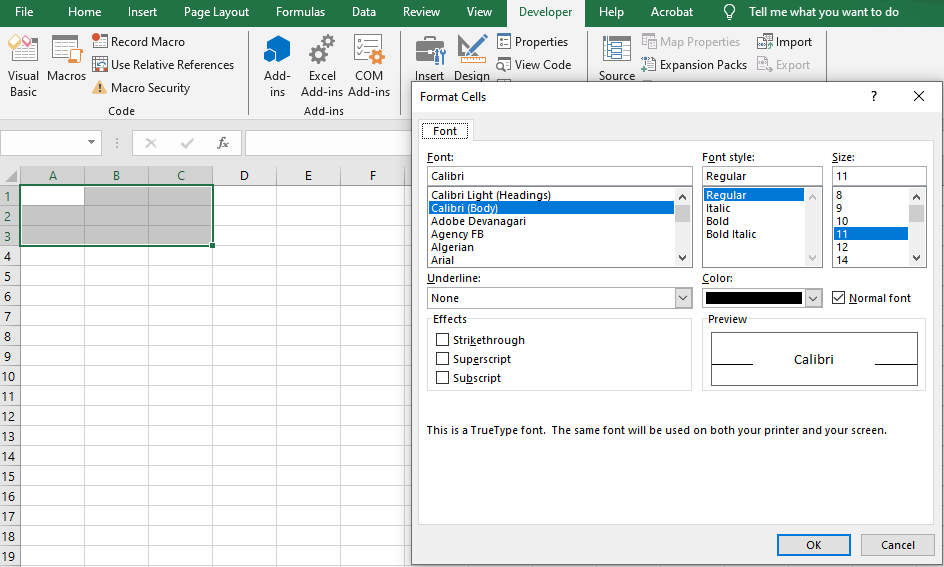
Explanation:
- The constant xlDialogFontProperties opens Excel’s standard Format Cells dialog directly on the Font tab.
- If the user clicks OK, the selected cells are updated with the chosen font properties such as font type, size, style, color, and effects.
- If the user cancels the dialog, the variable success is False, and a message box informs the user that no changes were applied.