The Application object is the main object. It is located at the top of Excel’s object hierarchy within the Excel application itself. Some properties and methods are explained below. By controlling the Application object, you can perform many tasks, such as saving the appearance of your screen at the end of a workday or quitting the application. As you know, Excel allows you to save screen settings using the Save Workspace button on the View tab. The task of saving the workspace can be easily done with VBA.
Application.SaveWorkspace "Projet"
This instruction saves the screen settings in the workspace file named Projet.
The next time you want to work with the same files and the same window layout, simply open the file Projet.xlwx so that Excel displays the correct files and restores your screen with those settings.
Now, let’s write a few instructions that use the Application object.
Path of the Installed Application
The path where Excel is installed is generated with the following procedure:
Sub CheminApplication()
    MsgBox Application.Path
End Sub
Comments
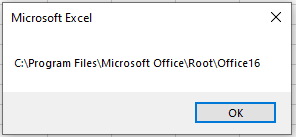
The value of the Path property of the Application object is retrieved and displayed.
It corresponds to the directory on the PC where Excel has been installed.
The output with a standard installation:
Calling a Procedure with a Delay
The following procedure triggers the call of another procedure in the future:
Sub AppelProcedureFutur()
    Application.OnTime Now + TimeValue("00:00:05"), _
    "CheminApplication"
End Sub
Comments
The OnTime() method of the Application object is called.
It is used to execute procedures at a future time. It is called with a time value and a procedure name (in quotes).
The time can be either absolute (e.g., call at 17:35:30) or relative (e.g., call in 5 seconds, as above).
If the time is relative, the current time must first be determined using the built-in Now() function. A time value is then added to it, provided by the built-in TimeValue() function.
Closing the Microsoft Excel Application
The following procedure closes the entire Excel application:
Sub FermerExcel()
    Application.Quit
End Sub
Comments
The Quit() method of the Application object is called.
It closes Excel, including all open workbooks, the VBE, and Excel Help.
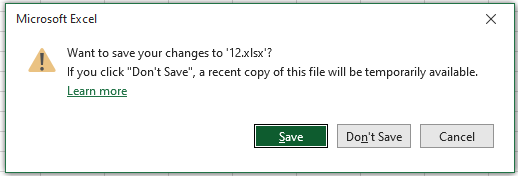
If a workbook has been modified, the user will be prompted to save it.