An example code featuring Yes and No buttons is:
Sub MsgBoxYesNo()
    If MsgBox("Do you want to save the file?", _
              vbYesNo Or vbQuestion, "Save File") = vbYes Then
        MsgBox "You chose to save the file"
    Else
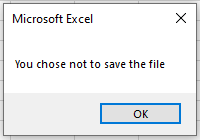
        MsgBox "You chose not to save the file"
    End If
End Sub
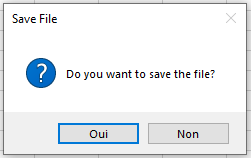
Explanation:
The Yes and No buttons are combined with the question mark icon. The user must answer the question, and the response is evaluated using a conditional statement. Because the MsgBox() function now returns a value, its parameters must be enclosed in parentheses.
In this example, two different messages are displayed depending on the user’s choice. You can use the evaluation of these responses to initiate different program flows.
A possible response where the No button was pressed is shown: