
Reset the vertical axis to zero
The vertical axis on a trend chart should normally start at zero. In these situations (negative values or fractions), it’s usually best to keep Excel’s default scaling. However, if you only have positive whole numbers, make sure the vertical axis starts at zero.
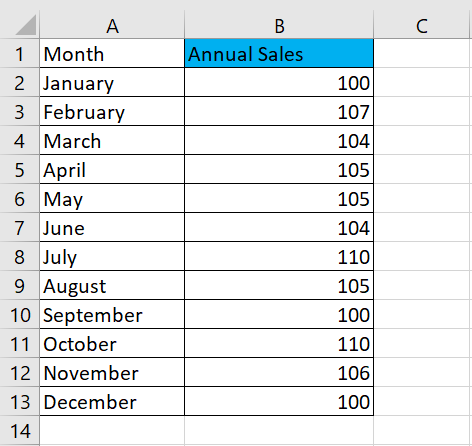
Indeed, the vertical scale of a chart can have a significant impact on the representation of a trend. For example, compare the two charts shown in the following figure. Both charts contain the same data. The only difference is that in the upper chart, I did nothing to correct the vertical scale assigned by Excel (it starts at 96), but in the lower chart, I corrected the scale so that it starts at zero.
Figure: Vertical scales should always start at zero.
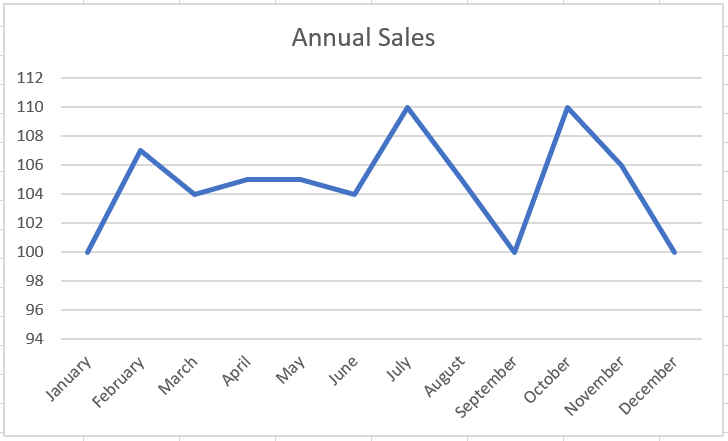
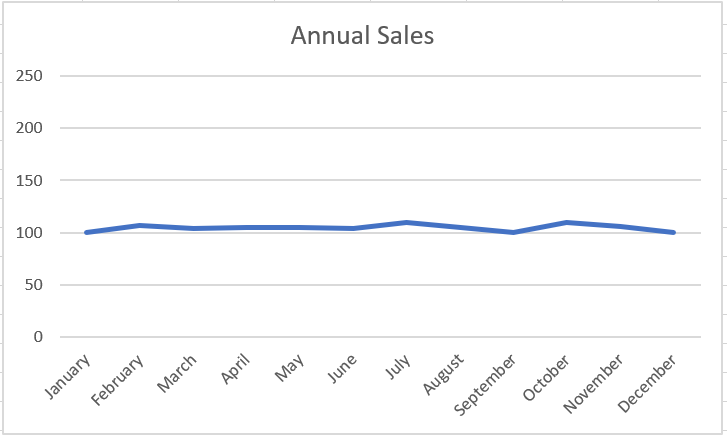
Now, you might think the top chart is more accurate because it shows the ups and downs of the trend. However, if you look at the numbers closely, you’ll see that the units represented have increased from 100 to 110 in 12 months. This isn’t exactly a significant change, and there’s no doubt that such a picture is unjustifiable. In truth, the trend is relatively flat, but the chart shows that the trend is upward.
The lower graph more accurately reflects the true nature of the trend. I achieved this effect by locking the Minimum value on the vertical axis to zero.
To adjust the scale of the vertical axis, follow these simple steps:
1. Right-click the vertical axis and choose « Format Axis » from the menu that appears.
The Format Axis dialog box appears.
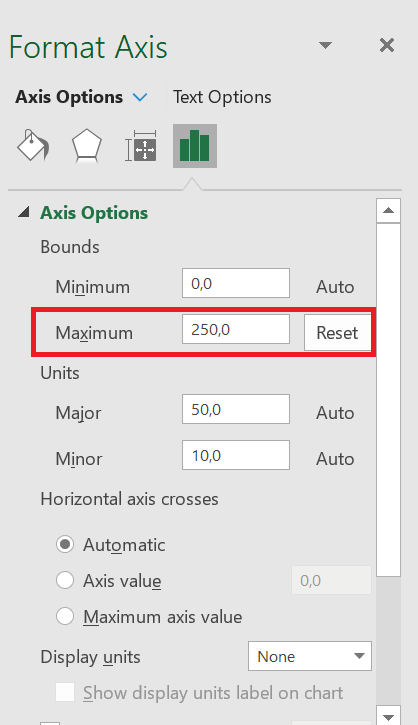
2. In the Format Axis dialog box, expand the Axis Options section and set the value in the Minimum box to 0.
3. Set the value in the Maximum box to 250 (double the actual value). This ensures that the trend line is placed in the middle of the chart.
4. Click Close to apply your changes.
Many would argue that the lower chart obscures small-scale trends that may be important. In other words, a difference of 7 units can be significant in some companies.